When using wireguard the quick setting toggle will collapse the VPN quick settings pane, even when toggling between different VPN services fails.
It would be better to leave the VPN quick settings unfolded so the user can actually see the toggle was applied successfully prior to collapsing:
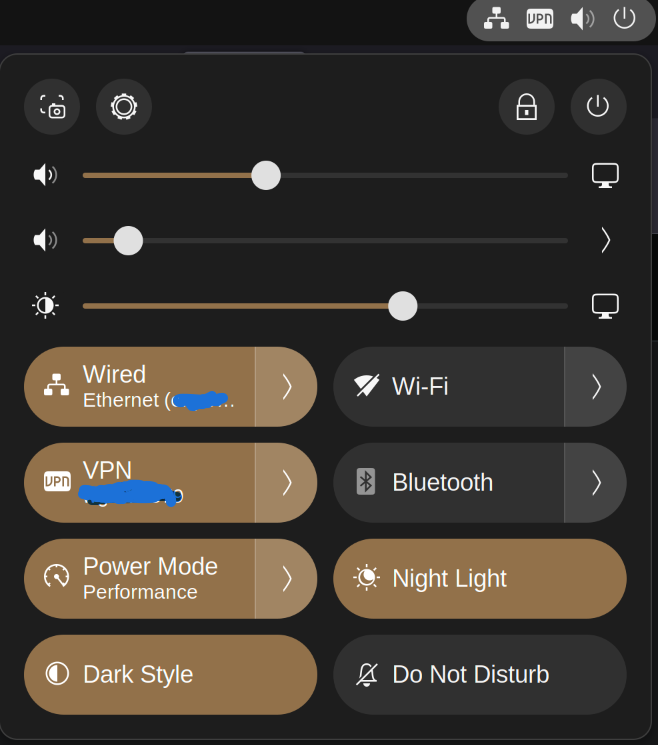
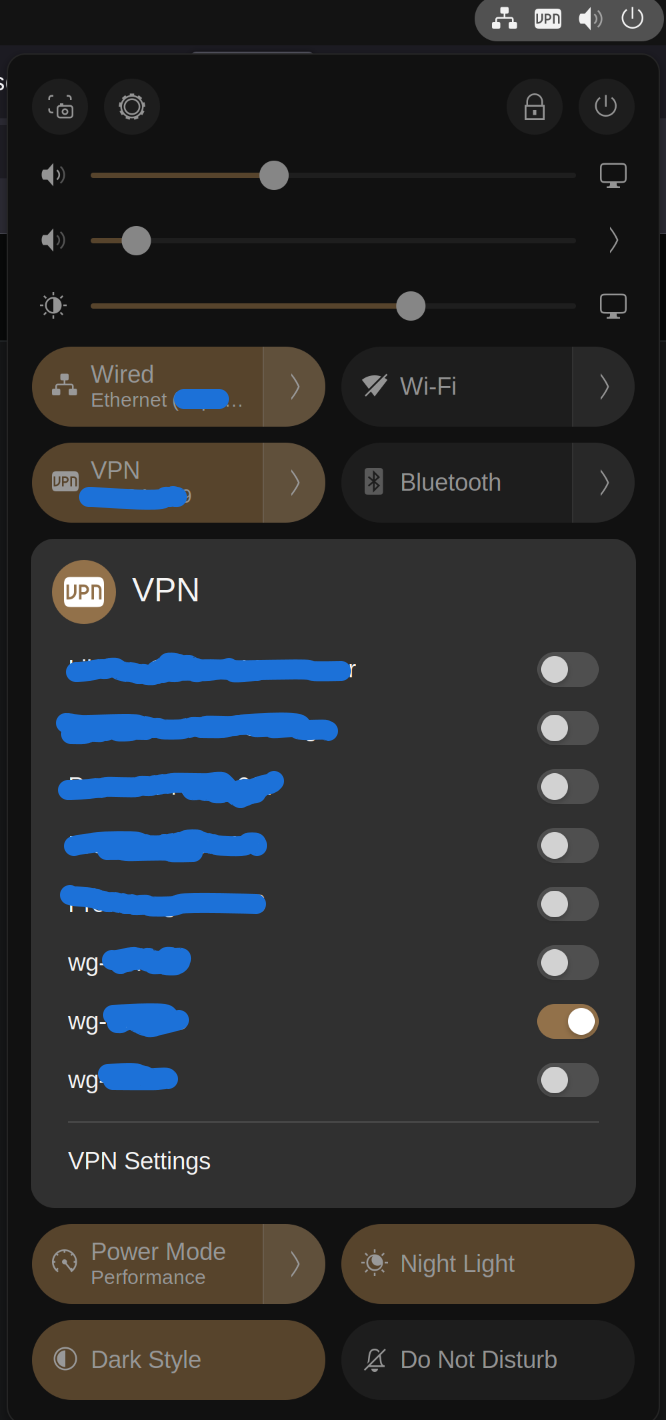
Steps to repeat:
- add two wg VPN profiles
- enable one profile
- using quick settings expand vpn
- select the toggle for the other vpn wg profile
Observe quick settings pane collapses, toggling new profile fails (Probably a bug, since when user disables the active wg VPN, and enables the other wg VPN it works fine, a validation appears to be missing to ensure two profiles can be active at the same time, or not).
On a separate note when the VPN quick toggle pane is unfolded when selecting the desktop outside the quick settings menu, it should fold the VPN Quick Settings Pane and the Overall Quick Settings pane, it currently only folds the VPN Quick Settings Pane.
When selecting the desktop the user want to get rid of that popup so they can interact with the desktop, which they can’t with the current functionality. The user has to select the desktop twice.