Using Evolution 3.52.3-0ubuntu1.1 on Kubuntu 24.04.
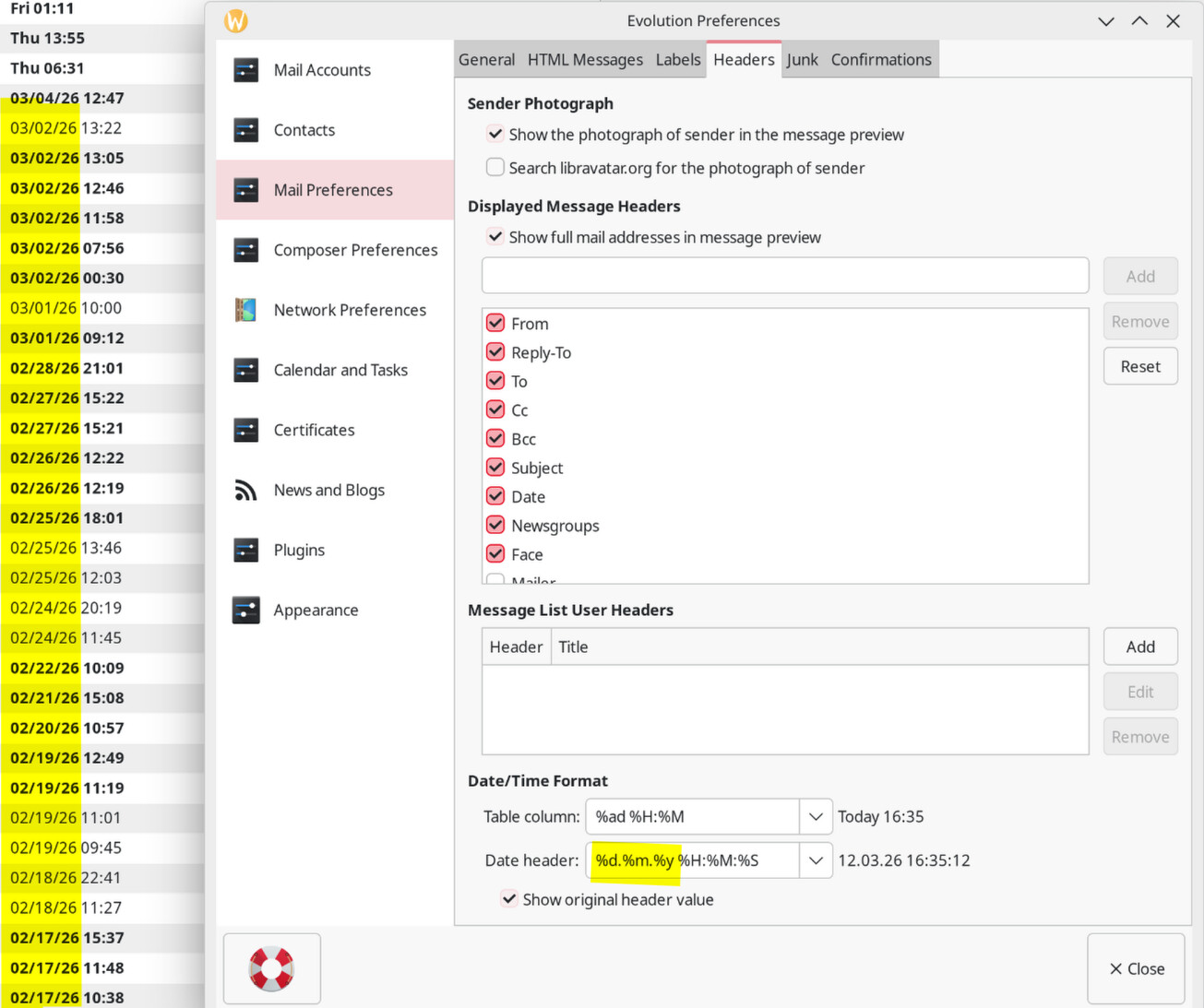
The date in the mail list window isn’t in the format defined in the system or anywhere in the Evolution settings. In every setting I found, I put “%d.%m.%y” and that works everywhere in Evolution, except in the mail list where it uses “%m/%d/%y”. In my system settings, I have also set “%d.%m.%y”.
Hi,
the message list uses the Table Column value, the one above the highlighted part in your screenshot. The “%ad” there stands for an abbreviated date, which turns either into the textual “Today”, “Yesterday” and such, or a full date.
There is a default for the date-only format, but it’s not exposed in the GUI. I guess your version can do the following too, because a change for the bug 610741 landed long ago.
You can change the Table Column format to %ad[%d.%m.%y] %H:%M and it’ll do what you want.