Hello,
the code : Bitbucket (Mutter_screencast.cpp) can take screen shot without permission , is there a way to block this?
Hello,
the code : Bitbucket (Mutter_screencast.cpp) can take screen shot without permission , is there a way to block this?
Can we block org.gnome.Mutter.ScreenCast (via extension).
org.gnome.Mutter.ScreenCast should be blocked by a sandboxing engine if protection against said application is needed. Flatpak applications, for example, does not have direct access to this API, thus wont be able to eaves drop on your session without your knowledge.
most applications I get are not inside snap/flatpak
I run them inside a separate user ID so that it does not interfere with other applications but this screen cast is a problem.
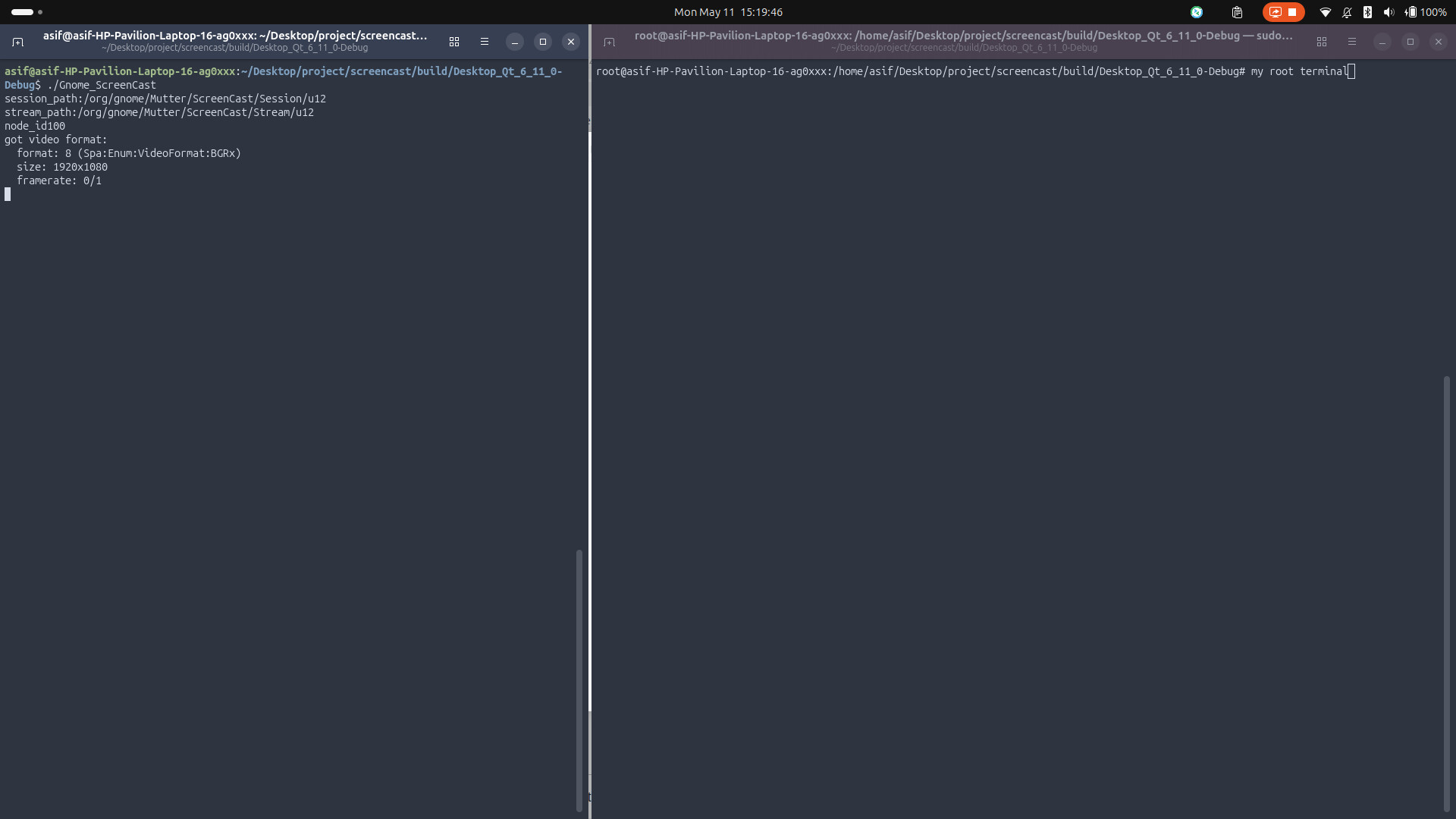
The below screen shot is taken of my root terminal (without any user permission). I am sure someone will make a service out of this and spy on my desktop.
There has to be a way to disable this bus.
Only users who have access to the D-Bus session bus should be able to use this interface. That most likely mean you’re recording the screen as the same user as running the GNOME session. So with that in mind, even if you disabled the screencast API, the application still have complete control of your session, and could get access to the same screen content in various other ways, would it really want to.
So how do we get rogue applications disguised as legitimate running in my session to stop taking screen shots.
There must be a way to disable this bus. Like a file to be updated/removed and it requires root
Now that xdg-desktop-portal-gnome is available , we can screen cast wwith xdg, do we need mutter cast? Gnome internal recorder will have to be updated though.
(Or they are dependent on mutter cast)
There is no way to defend against unsandboxed malicious applications running inside the user session because the desktop security model doesn’t consider these apps as separate from the desktop itself. The solution is sandboxing. That puts apps into a different security context where the desktop will treat them differently (i.e. by blocking access to highly privileged protocols)
xdg-desktop-portal-gnome uses the Mutter ScreenCast API as its backend. That’s what the API is there for: to implement the portal.
So is there a way to disable this bus (and any other bus) altogether (system wide) via root user?
What bus? The dbus session bus? That’ll cripple your desktop and it won’t work at all.
This bus:
auto session_res = g_dbus_connection_call_sync(
dbus, “org.gnome.Mutter.ScreenCast”, …
Wayland prevents one application from watching or capturing another. Without any gate keeping, this breaks that.
Compositor Control: Screenshotting capabilities are handled by the compositor , the compositor must request user permission for screen capture, (this is exactly what XDG does).
I had a similar problem regarding an app capturing my screen: Disable a dbus (the screenshot one) - #14 by Asif_Bahrainwala
It seems that some folks like mutter https://github.com/flatpak/xdg-desktop-portal/discussions/1820 ,…a confirmation dialog will always be shown, asking the user to select a device to capture. This is problematic for a headless setup…
for now… denying the bus does the trick
created a conf file in /etc/dbus-1/session.d denying this bus and now screen recording is denied. (just the fix I wanted).
I will build an app to deny/allow screen sharing on mutter wayland (or may be someone can build an extension).
If an app or extension can grant access to the screencast service, then any process that runs with the same permissions can do the same.
Sorry, but no amount of DMs will get you around the fact that if you want to protect some processes from others, you need some kind of security boundary between them.
FWIW, gnome-shell did start to restrict some of its D-Bus services to a limited number of allowed callers. That was motivated by zoom (ab)using the private screenshot API for its screen sharing implementation instead of the proper portal APIs.
Mutter could do something similar for the D-Bus services it exports.
However that would be a measure to prevent a sandboxed app from bypassing the portal by calling the private API directly (with appropriate sandbox permissions to access the service). It would not be a defense against a malicious process that runs unsandboxed with full session permissions. Such a process can simply kill the xdg-desktop-portal-gnome process and take up its D-Bus name to become an “allowed caller”.
Thanks for the update, the app i have in mind will run as root ( to update the session.d folder).
This denial seems to be per user, my test applications ( the ones I don’t trust) run with different userid (limited access). I’ll ensure that userid is denied this bus.
this tool will help you toogle screencast access