Question about missing preference sections in Orca 49

Hello,

I am currently using Orca 49.1 on GNOME 49 (Ubuntu 25.10, Wayland session).

While reviewing the official documentation, I noticed that the following preference sections are described:

  • Web Preferences
  • Table Navigation Preferences
  • Spellcheck Preferences

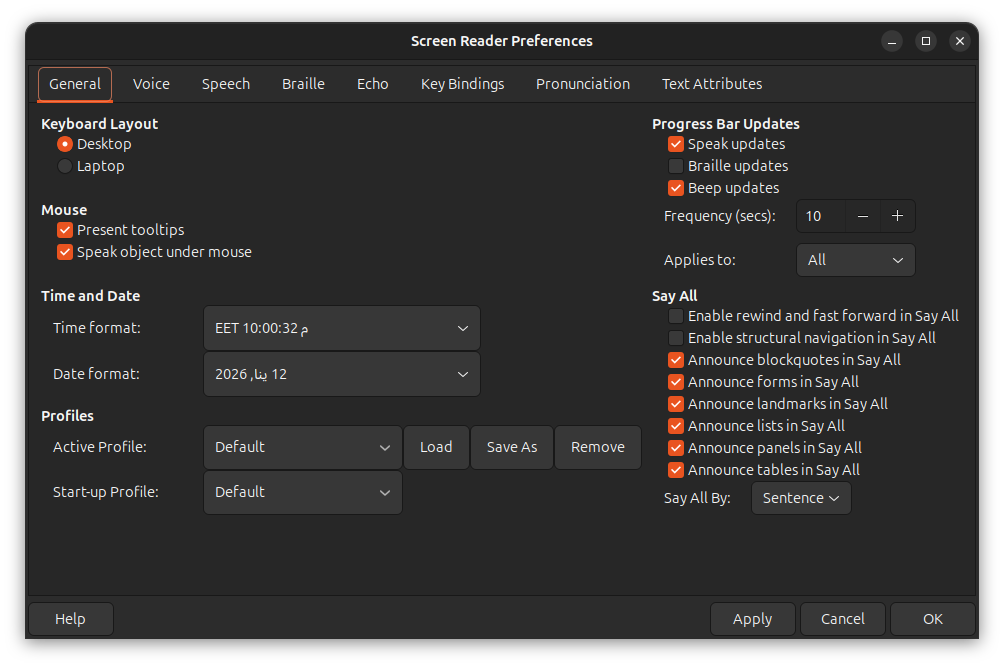
However, I am not able to find these sections in the Orca Preferences dialog in version 49.1.

I would like to ask:

  • Have these sections been removed or redesigned in recent versions?
  • Are they now context-dependent (only shown in certain applications)?
  • Or is the documentation possibly outdated?

I just want to better understand the current design before assuming this is a documentation issue.

Thank you for your work on Orca and accessibility​:+1::+1:.

Except for the web specific config, these preference categories definitely do not have its own tab. The third appears only in app specific settings (Orca+Ctrl+space), the Chat ones might do the same, not sure just now.

1 Like

Thank you for the clarification.

Just to confirm what I am observing on Orca 49.1 (GNOME 49, Wayland):

In the main Preferences dialog, I only see the 8 core tabs. The Web, Table Navigation categorie do not appear there as standalone tabs.

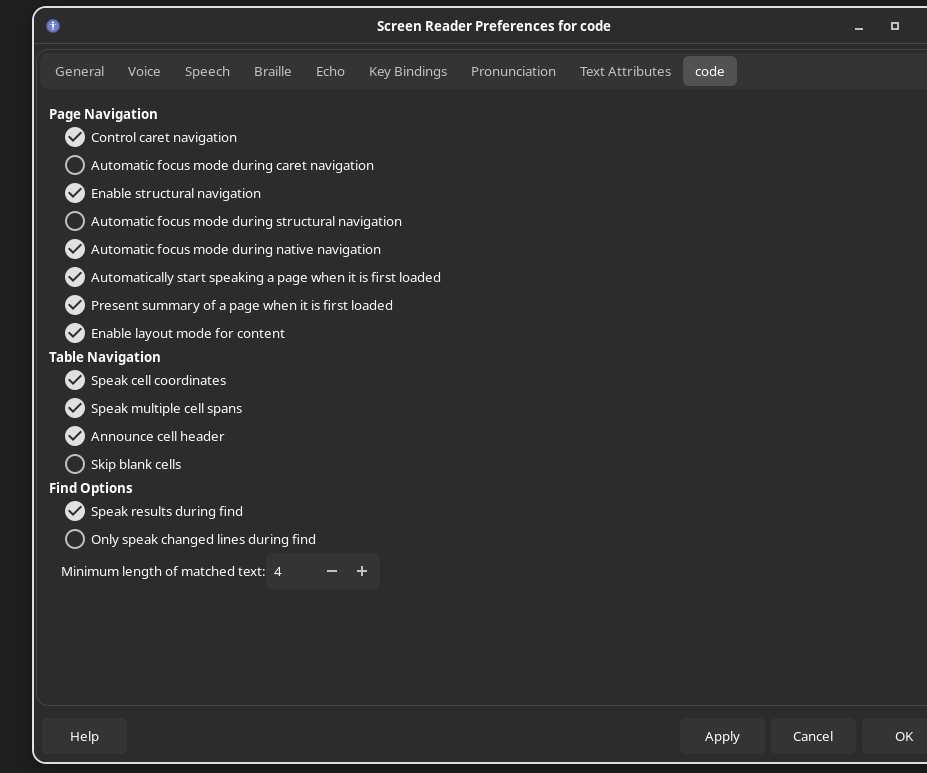
However, I was able to access the Web preferences by pressing Orca+Ctrl+Space inside applications like Firefox and VS Code. In that case, the web-related options appear under the application-specific settings.

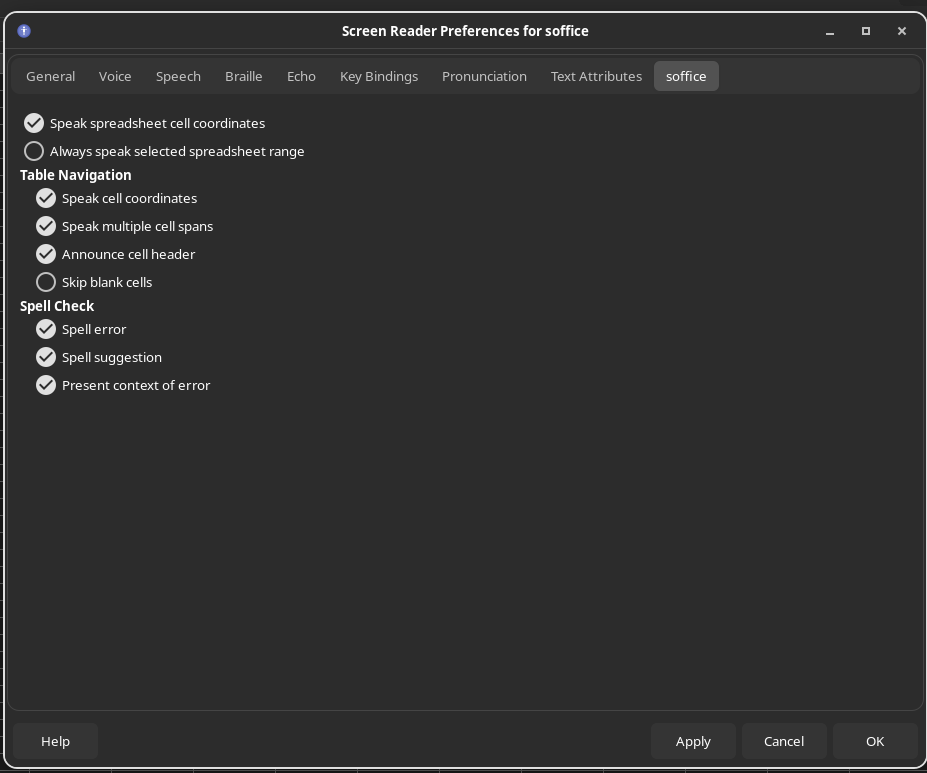
Similarly, when I pressed Orca+Ctrl+Space inside LibreOffice, I was able to access additional options such as Table Navigation in the app-specific preferences.

So it seems these sections are now entirely context-dependent and only visible through the application-specific preferences dialog.

I was not able to access any remaining “missing” categories beyond those. I assume the Chat tab is no longer relevant, as it appears to have been associated with older chat applications.

There is, however, one issue I noticed:

When I press Orca+Ctrl+Space inside applications like Firefox, the keyboard seems to “freeze” and I cannot navigate within the Preferences dialog. The dialog opens, but I cannot move between controls unless I first press Orca+Space, and only then navigation works normally.

I’m not sure whether this is expected behavior, a focus-mode interaction issue, or a bug related to Wayland.

Has anyone else experienced this?

Hello,

I am on Arch linux with Gnome 49. With orca 49 the app specific preferences are working fine for me when launched by pressing orca+ctrl+space.

Btw for gnome 50 orca screen reader preferences window is being rewritten. And all the preferences will be shown in the dialog, they will just be used when appropriate.

Thank you for the clarification and the information about GNOME 50 — that is very helpful.

It makes sense now that the preferences are context-aware in Orca 49 and that the design will change in GNOME 50 so that all preferences are visible in one dialog.

Regarding the keyboard issue: on Ubuntu 25.10 (GNOME 49, Wayland), when I press Orca+Ctrl+Space inside Firefox, the preferences dialog opens but I cannot navigate within it until I press Orca+Space once. After that, navigation works normally.

Since this does not happen on Arch, it might be Ubuntu-specific or related to Wayland focus handling.

I will try to gather more details and see if it is reproducible consistently.

Additionally, I am experiencing another issue on GNOME (Wayland): the “Speak Object Under Mouse” option does not work for me. Even when enabled, Orca does not announce objects when hovering the mouse.

Interestingly, this works correctly for me on XFCE, which makes me suspect it might be related to Wayland rather than Orca itself.

Has anyone observed similar behavior?

The preferences were app dependent as long as I can remember. And the bug with focus does not occur on my systems.