I am a big fan of the Dynamic Wallpapers. I have hacked together several that perform some complex transitions. But to be honest; I don’t know what I am doing.
I wish there was a simple (no extensions) guide to the correct directory structure. Where to put the subfolder full of images, where to put the .xml, etc.
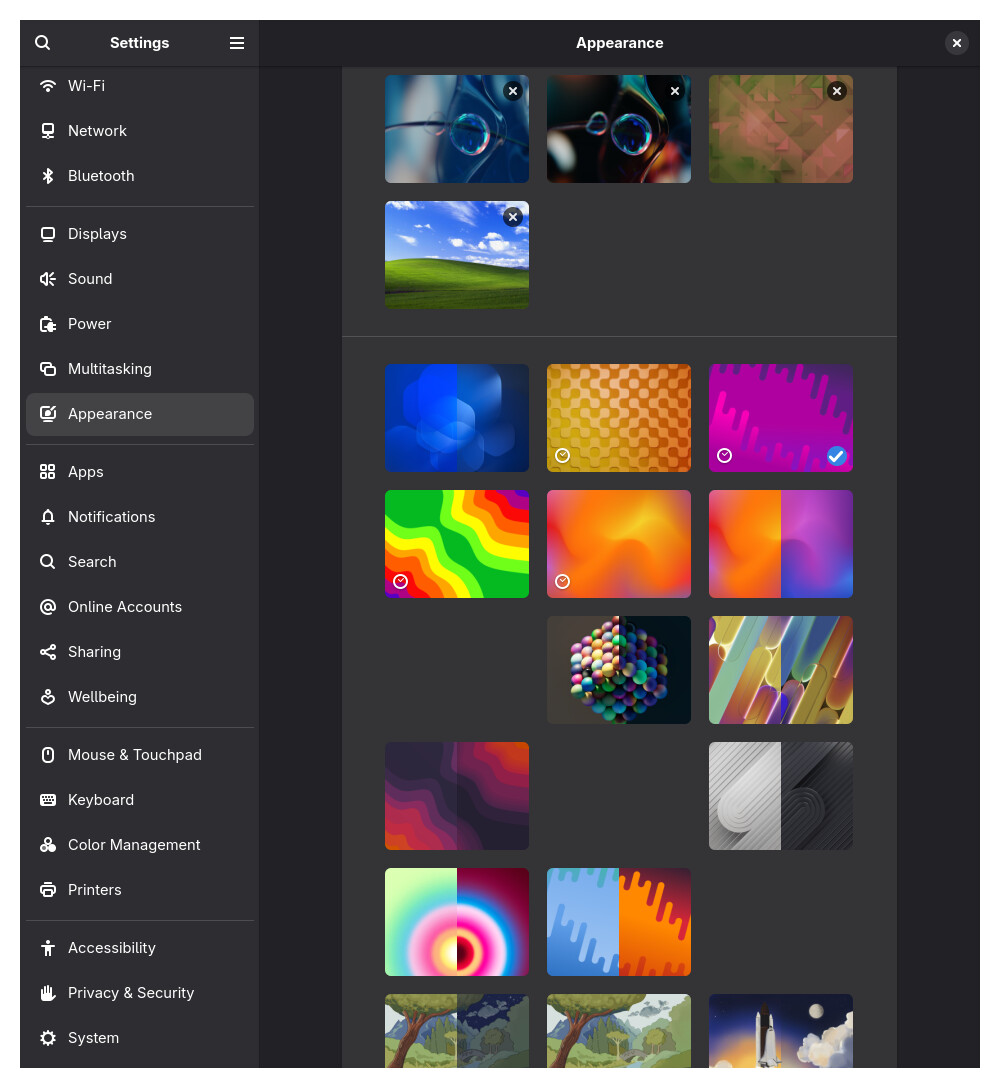
I ask this because I have accidentally created several zombie experiments that don’t preview in the settings selector. I can’t tell what to delete, change, or add to fix this. It’s very minor. Note the odd gaps in the thumbnails
If anyone can explain this like I’m 5, I know it would enable a lot of folks to do some creative stuff.