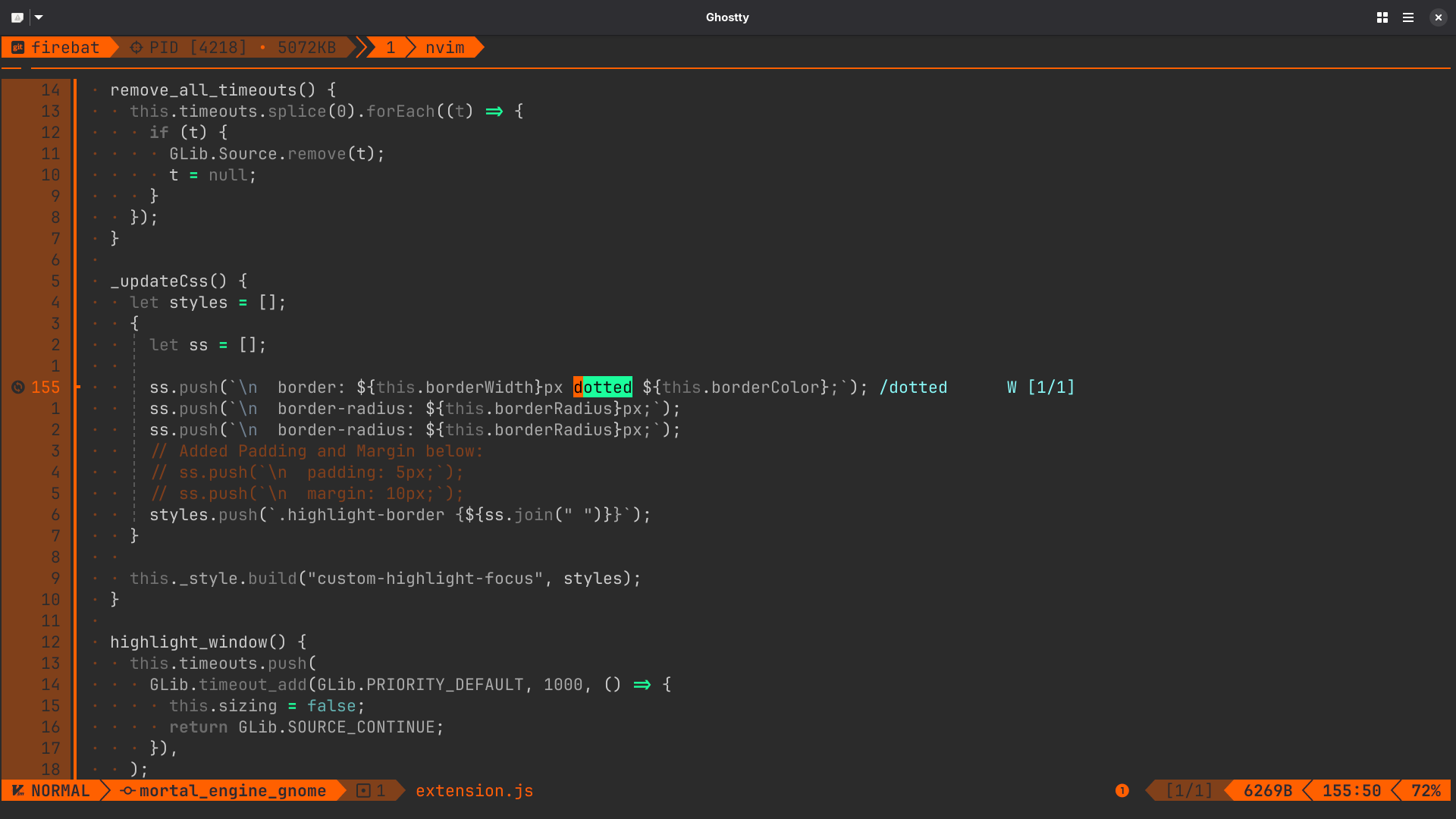
I am making a modification to the highlight-focus window plugin for my own use (for some reason the maintainer has disabled it), and I was successfully able to activate it, but when I attempt to change the window border from solid to dashed, I noticed that nothing changed. Is a dashed/dotted border simply not supported in GNOME’s CSS UI?
The gnome-shell CSS only supports solid borders (and simple border images): src/st/st-theme-node.c · ae7917c904dd9d80982e6e353b4bddc7420a4a98 · GNOME / gnome-shell · GitLab
Thank you @skeller ! Can you point me to an implementation that uses a simple border image? I was looking into this when I was trying out various border patterns and wasn’t able to get it to work at the time…
Can the border images be derived from SVG files?
border-image has not been used in gnome-shell for more than 10 years, so I’m not sure if this still works, but the syntax should be border-image: url("some_file.svg") 10 10 10 10 where the last 4 numbers are the top, right, bottom and left size (similar to how border and other CSS properties work; you can also just specify fewer numbers like with border as well). I don’t think units are supported for these numbers. I remember it being different from the CSS spec in more ways than that, but I don’t remember the details.
It should support all image formats supported by gdk-pixbuf, including SVG.
Thank you very much, @skeller ! I will try this out.
I made a post here ( My window borders disappear without consistency ) regarding an issue I am having with my borders not rendering for screens that are maximized. I noticed that this problem is ONLY for maximized screens, and when I split them to the left or right, the borders reappear. This issue also only occurs on one monitor. Would you recommend any places that I look first to diagnose this issue? It’s been on my mind for a bit…
Thank you for any insight you can glean on this problem!