Hello!
I’ve started looking at the GNOME developer portal and installed Builder using Flathub. I really like this IDE, and it’s (obviously) very well integrated with the GNOME environment.
In many IDEs I tried in the past, it was easy to go to a function definition using the mouse with a Ctrl+Click on the function name. Is it possible to do this in Builder? If I leave the mouse pointer hovering for long enough, a tool tip shows up with links to “Location” and “Declaration”. I can click on the links, but it’s annoying to have to wait (and also, in Python codebase, both “Location” and “Declaration” seem to point to the same thing?):
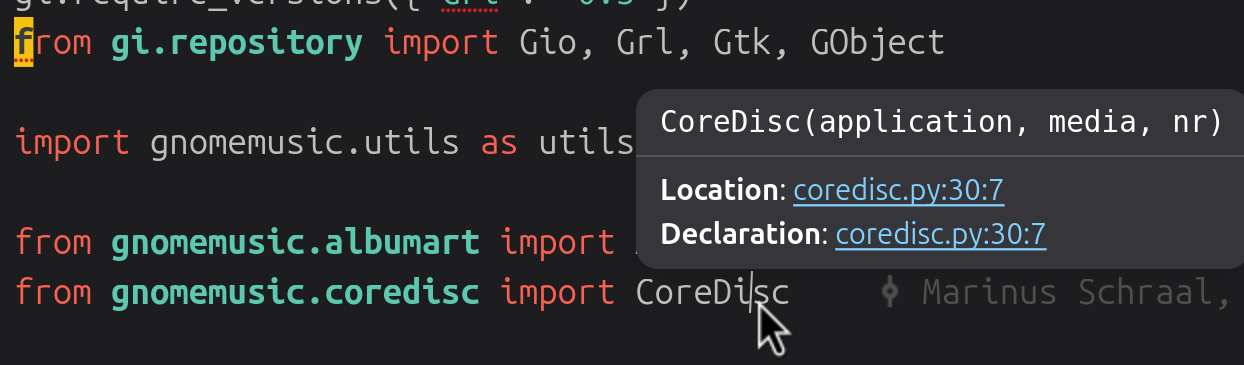
(also, the pointer is double the size in Builder, maybe it’s because I’m using a 200% scale, I should probably report a bug)