Note that I’d suggest to use gimp-console instead of gimp. Both would work the same, but gimp-console is made for CLI use cases and doesn’t link GTK or any GUI code to begin with.
P.S.: in GIMP build itself, we do a bunch of this, of course at the end of the build once GIMP has been successfully compiled. Then we use the just-compiled GIMP to generate a bunch of image (splash images, but also multiple images in various size for some packages, etc.).
Dog fooding and all that! (some say the expression is wrong because it implies bad quality: but if we had any dog, we’d feed it good and healthy food, just like GIMP itself is very good food! )
Ok, thanks. It works. Nearly. I have four layers in my xcf and want to have four pages in the pdf. In the generated image there is only one page. Can Gimp do this, too?
Uh, I had not received any notification about your answer! I discover it by chance.
Sure. You can do nearly everything you can do in the interface through scripts.
For this, we need to use the specific PDB procedure generated by the PDF Export plug-in, because it will require using options specific to this plug-in (the gimp_file_save() function also uses specific PDB procedures under the hood, but just uses all arguments with defaults).
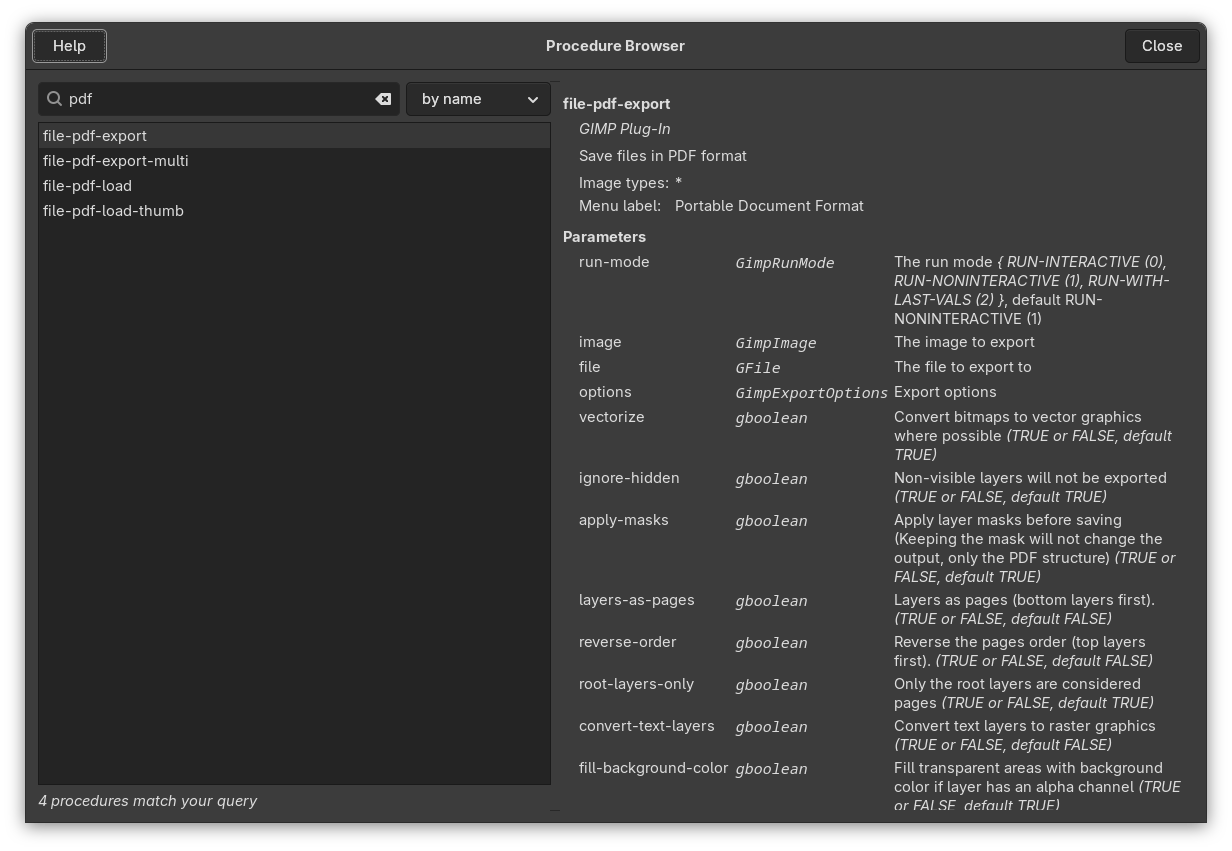
First of all, you want to check the options in the PDB procedure of interest. Go to menu Help > Procedure Browser
In the search field, start typing “pdf”
The “file-pdf-export” procedure is what you want (there is a “file-pdf-export-multi” in the list, but it’s actually for using a mix from several source documents and I’m not sure it’s well tested at all; we should probably get rid of it; this can be done through scripting anyway!). Click on it.
Note: you could put it all into a one-liner with newlines replaced by ;, but I usually find it more readable, maintainable (and reusable!) to put the code into a file and just pipe it to stdin (and when you start using loops and conditional code, etc. it’s even more necessary!).
Note 2: as you can see, there are other args. You could also set “reverse-order” if the page order is not the right. Or “root-layers-only” if you were using group layers, etc. Just look at the docs!
 (some say the expression is wrong because it implies bad quality: but if we had any dog, we’d feed it good and healthy food, just like GIMP itself is very good food!
  )
) I have four layers in my xcf and want to have four pages in the pdf. In the generated image there is only one page. Can Gimp do this, too?