Hi, I installed the GNOME Software store on Linux Mint using the command sudo apt install gnome-software --install-suggests. I currently have GNOME version 46.0, and I want to know how to install the latest version, GNOME 51.0.
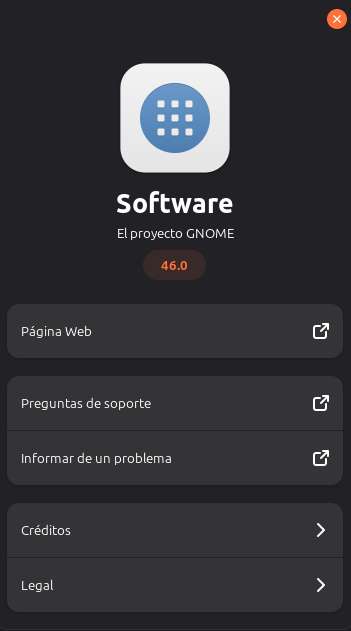
You will have to ask the Mint developers. GNOME is not responsible for downstream packaging inside Linux distributions.
Unless you compile it from source yourself, you generally can’t. Linux Mint is a so-called long-term support distribution. Which in practice means most software versions available on it are old & obsoleted and you won’t get the latest versions. Sometimes you can, if the program is on Flathub. GNOME Software isn’t but an alternative software manager, a GNOME Circle app, called Bazaar is; https://flathub.org/en/apps/io.github.kolunmi.Bazaar. This software manager only manages flatpaks (software available from Flathub).
The next Linux Mint release is based on Ubuntu 26.04 so will have GNOME 50. If you must have GNOME 51 you should likely use a different distribution. Like upcoming Ubuntu 26.10 or Fedora 45 available later this month.
Hi, thanks for your reply. Okay, I’ll ask the Mint developers. Thank you very much.
Okay, thanks. I’ll try the Bazaar store to take a look. Hopefully, it can be updated to version 51.0 in the next Linux Mint update at the end of the year. We’ll see how it goes; otherwise, I’ll look for another software store that’s more up-to-date, because the Linux Mint software manager and applications store is very outdated, I noticed that. Yesterday, I installed the GNOME Software Store and installed the VLC media player application, and it showed version 3.0.23, and the latest version is 3.0.24, which is more up-to-date. If I have any questions or need anything, I’ll let you know. Thanks for sharing the information.
The next Linux Mint release will bump all software to somewhat more recent versions (but at least 8 months old) but won’t update them to newer versions afterwards. Not until late 2028 when Linux Mint will switch to be based on the next Ubuntu LTS. That’s how long term support distributions work; you’re stuck with old software versions. That’s why your VLC version in the current Linux Mint release is older. If you want the latest software versions you’re on the wrong distribution with a long term support distribution.